Most enterprises deploy intelligent video analytics believing the technology alone will transform their security operations. The cameras are installed. The software is configured. The dashboards are live. Yet months later, incidents still slip through. Response times stay sluggish. The promised ROI feels out of reach.
The problem is rarely the technology itself. According to a 2025 report by IFSEC Global, over 70% of analytics deployments underperform — not because of detection accuracy, but because of operational gaps between the platform and the security workflows around it. These are the blind spots your security team cannot afford to ignore.
This guide breaks down seven critical operational gaps that silently erode your video analytics investment — and shows you exactly how to close each one.
Why Do Operational Gaps Exist in Video Analytics?
Intelligent video analytics is a powerful capability layer, but it does not operate in a vacuum. It depends on proper calibration, integration with existing systems, trained personnel, and well-defined escalation workflows. When any of these elements are missing, the gap between “installed” and “operational” widens.
Think of it this way: a fire alarm that nobody responds to is not a safety system. Similarly, video analytics that generates alerts without a structured response chain is just an expensive log file. The gaps below represent the most common failure points we observe across deployments in banking, retail, logistics, and manufacturing environments.
Gap #1 — Alert Fatigue from Uncalibrated Detection Zones
This is the most common and most damaging operational gap. When detection zones use factory defaults or blanket sensitivity settings, the system floods the control room with false positives. A swaying tree branch, a passing shadow, or a plastic bag in the wind — all trigger alerts identical to genuine intrusion events.
The human response is predictable: guards start ignoring alerts. According to research published by the Security Industry Association (SIA), operators begin dismissing notifications within two weeks of consistent false alarms. Real threats get buried under noise. The entire analytics investment is effectively neutralised.
How to Close This Gap
- Calibrate detection zones per camera based on the specific scene — not global defaults
- Set zone-specific sensitivity thresholds that account for environmental factors (wind, lighting, foot traffic)
- Review and retune detection zones quarterly, or after any physical change to the camera’s field of view
Gap #2 — No Escalation Workflow Between Analytics and Response Teams
The analytics platform detects an anomaly. An alert appears on a dashboard. Then what? In far too many deployments, the answer is: nothing structured. The alert sits in a log. An operator may or may not notice it. There is no defined path from detection to verification to dispatch.
Without a tiered escalation workflow, accountability collapses. Nobody knows who should verify the alert, who authorises a response, or how quickly each step must happen. Critical events wait in the same queue as low-priority notifications. For teams running security monitoring operations, this gap is where incidents become incidents on record rather than incidents prevented.
How to Close This Gap
- Define a three-tier escalation chain: Detect → Verify → Dispatch with assigned roles at each level
- Map event severity categories (low / medium / high / critical) to specific response protocols and SLA timelines
- Integrate alert notifications with mobile devices and communication platforms so the right people are reached in real time
Gap #3 — Siloed Camera Infrastructure with No Unified Dashboard
Enterprises rarely buy all their cameras from one vendor. Over time, the infrastructure accumulates multiple camera brands, NVR models, and VMS platforms — each with its own interface. Security teams end up toggling between three to five different applications just to monitor a single facility.
This fragmentation creates dangerous blind spots. There is no cross-camera correlation. A person detected at the perimeter cannot be automatically tracked through interior zones if those cameras sit on different systems. Incident investigation means manually checking each platform separately — turning a 10-minute review into an hour-long exercise.
| Capability | Siloed Setup | Unified AI Analytics |
|---|---|---|
| Camera brands supported | ✗ 1-2 per VMS | ✓ Brand-agnostic |
| Cross-camera tracking | ✗ Manual review only | ✓ Automated Re-ID |
| Dashboard interfaces | 3-5 separate applications | ✓ Single pane of glass |
| Alert correlation | ✗ None | ✓ Event-based linking |
| Reporting | Per-system CSV exports | ✓ Unified analytics |
| Scalability | ✗ Vendor lock-in | ✓ API-driven expansion |
How to Close This Gap
- Deploy a unified analytics layer that sits above existing hardware — no need to rip and replace cameras
- Choose a platform that supports ONVIF and RTSP protocols for brand-agnostic camera integration
- Consolidate all feeds, alerts, and reports into a single dashboard for every operator
Gap #4 — Neglected Camera Health and Uptime Monitoring
Cameras fail silently. A lens gets obstructed by a spider web. A network switch goes down and takes 12 cameras offline. Image quality degrades gradually as weather exposure takes its toll. In most deployments, nobody notices until a security incident occurs and the investigation team discovers that the relevant camera was offline for days.
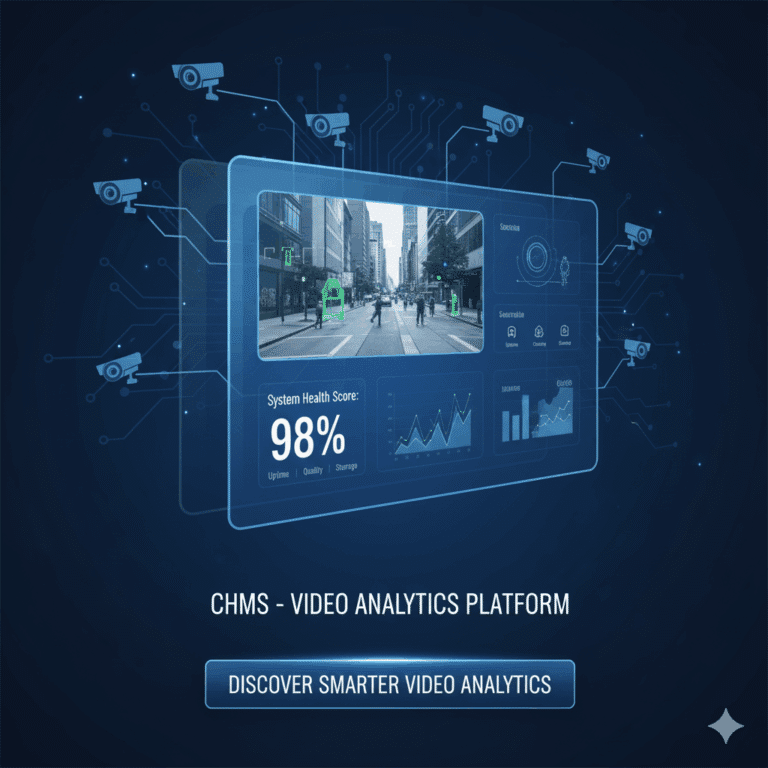
According to industry data, the average enterprise has 10-15% of its camera fleet in a degraded or offline state at any given time. That is not a technology failure — it is an operational monitoring failure. Without a dedicated Camera Health Monitoring System (CHMS), your security coverage silently erodes every week.
How to Close This Gap
- Implement automated camera health monitoring that tracks uptime, image quality, frame rate, and network connectivity per camera
- Set up instant alerts when a camera goes offline, gets obstructed, or drops below quality thresholds
- Generate weekly camera health reports for the facility management team — not just the security team
Gap #5 — Static Rule Sets That Don't Adapt to Changing Environments
Rules configured at deployment time are snapshots of one moment in your facility’s life. “Alert if more than 5 people enter Zone B” may be the right threshold for a Tuesday afternoon, but it is completely wrong during a Friday evening rush or a seasonal promotional event. Static rules over-alert during peak hours and under-alert during off-hours.
The result is a system that cries wolf during busy periods (training operators to ignore it) and stays silent during the exact low-traffic windows when genuine threats are most likely to occur. Intelligent video analytics demands intelligent thresholds — ones that adapt automatically based on learned patterns.
How to Close This Gap
- Deploy adaptive threshold engines that learn from historical patterns and adjust sensitivity automatically
- Configure time-based rule profiles: separate thresholds for peak hours, off-hours, weekends, and holidays
- Review rule performance monthly — track which rules generate the most false positives and retune them
Gap #6 — No Integration with Access Control, POS, or Building Management
An AI monitoring system in isolation can tell you what happened on camera. It cannot tell you why it happened without context from adjacent systems. A tailgating alert is far more actionable when correlated with an “access denied” event from access control. A cash register exception becomes a theft investigation when matched to footage of the transaction.
According to the ASIS International 2024 State of Security Convergence Report, organisations with integrated security systems resolve incidents 40% faster than those with standalone tools. This integration gap is especially costly in regulated environments — for example, banking ATM and branch operations where access control events and video evidence must align for compliance and fraud investigation.
How to Close This Gap
- Choose a video analytics platform with open APIs and pre-built connectors for major access control and POS vendors
- Define correlation rules: pair video events with access logs, transaction data, and BMS alerts
- Build unified incident timelines that combine video evidence with data from all connected systems
Gap #7 — Zero Post-Incident Analytics and Forensic Search
Many teams treat the analytics platform as a live monitoring tool only. When an incident occurs, they revert to the old method: manually scrubbing through hours of footage across multiple cameras. An investigation that should take minutes takes hours. Evidence gets missed because operators cannot search by attributes — they can only watch and fast-forward.
Modern AI-powered forensic search changes this entirely. Security teams can search by person attributes (clothing colour, direction of travel), objects (vehicles, bags), time windows, and specific zones. Multi-camera event timelines stitch together automatically — turning a 4-hour manual review into a 5-minute structured search.
How to Close This Gap
- Ensure your analytics platform includes AI-powered forensic search with attribute-based filtering
- Train investigation teams on structured search workflows — not just manual scrubbing
- Use post-incident pattern reports to identify recurring threats and adjust preventive rules
How to Close These Gaps — A 7-Point Action Checklist
Closing operational gaps does not require replacing your camera infrastructure. It does not require overhauling your security team. It requires deliberate workflow design and the right analytics platform. Here is a concise checklist you can act on immediately:
- Calibrate detection zones per camera — eliminate false positives at the source by tuning sensitivity to each scene’s unique characteristics
- Define escalation workflows — map every alert severity level to a specific verification and dispatch protocol with named owners
- Unify your camera infrastructure — deploy a brand-agnostic analytics layer that gives operators a single dashboard across all camera makes and models
- Monitor camera health continuously — track uptime, image quality, and connectivity for every camera to ensure zero silent failures
- Switch to adaptive thresholds — replace static rules with time-aware, data-driven parameters that evolve with your environment
- Integrate with adjacent systems — connect the platform with access control, POS, and building management for correlated, context-rich alerts
- Enable AI forensic search — give your investigation team attribute-based search, auto-stitched timelines, and pattern detection capabilities
Frequently Asked Questions
Ready to close the operational gaps in your video analytics deployment? Schedule a demo with Agrex AI and see how our unified platform eliminates blind spots across your entire camera network.
Last updated: February 2026