
Last updated: February 2026
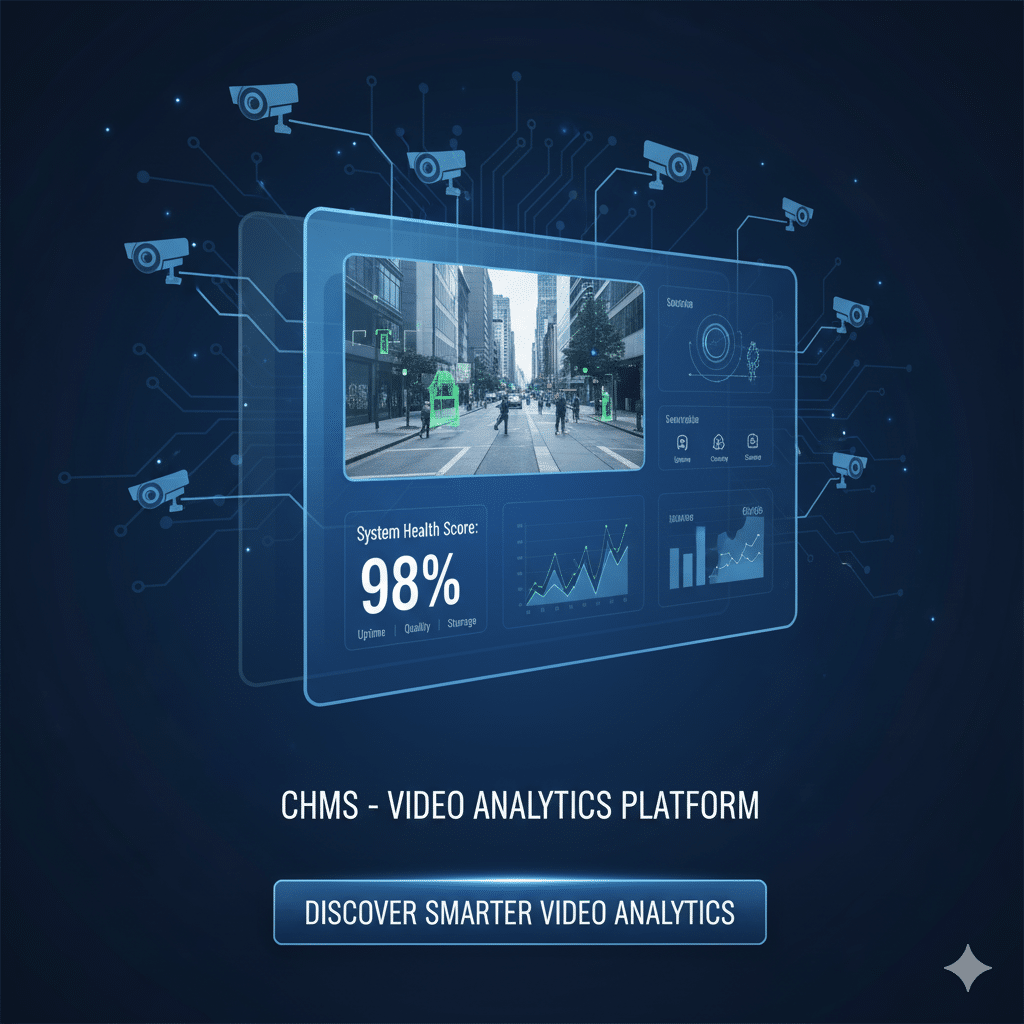
A Camera Health Monitoring System (CHMS) is an AI-powered platform that continuously monitors your entire CCTV infrastructure — cameras, NVRs, DVRs, storage, and video streams — detecting issues like offline cameras, tampering, blur, and recording gaps before they cause security blind spots. According to IPVM research, up to 30% of enterprise CCTV cameras are non-functional at any given time, making proactive camera health monitoring essential for any organization relying on video surveillance.
Unlike traditional NVR-level monitoring that only checks if a recorder is online, a modern CHMS inspects the entire chain — from network video recorders down to individual camera streams — analyzing video quality metrics like FPS, bitrate, focus score, and visual integrity. The result is dramatically higher uptime, faster incident resolution, and audit-ready evidence that your surveillance infrastructure is performing as expected.
What Does a Camera Health Monitoring System Monitor?
A camera health monitoring system monitors seven critical aspects of your CCTV infrastructure end-to-end — from the recorder level down to individual camera streams. This comprehensive approach ensures that no failure point goes undetected, whether it is a hardware malfunction, a network issue, or deliberate tampering.
| Monitoring Capability | Traditional NVR | Agrex CHMS |
|---|---|---|
| NVR/DVR Online Status — Heartbeat checks, channel mapping, overload warnings | ✓ Basic | ✓ Advanced |
| Camera Online/Offline — Per-camera RTSP/HTTP probes, FPS/bitrate checks, flapping suppression | ✗ Limited | ✓ Full |
| Camera Tampering — Scene change, physical tilt, FOV drift, occlusion, defocus | ✗ None | ✓ AI-powered |
| HDD Health & Recording — Gap detection, retention verification, disk health warnings | ✓ Basic | ✓ Advanced |
| Blur / Blackout — Focus scoring, black-frame detection, frozen-frame detection | ✗ None | ✓ Real-time |
| Angle Change (FOV Drift) — Baseline framing, drift detection, zone-based thresholds | ✗ None | ✓ Continuous |
| Camera Covered — Occlusion monitoring, duration-based policies, escalation | ✗ None | ✓ Automated |
Here is a breakdown of each monitoring capability:
1. NVR/DVR Online and Offline Status
CHMS performs continuous heartbeat and “last seen” checks for each recorder, verifies channel mapping integrity and stream passthrough health, and provides early warnings for overload, dropped channels, or disconnects. This ensures your recording backbone stays operational around the clock.
2. Camera Online and Offline Status
Each camera is individually probed via RTSP and HTTP stream checks. The system monitors FPS, bitrate, and resolution for sanity, detects latency spikes, and uses flapping suppression to avoid alert noise from intermittent connectivity issues.
3. Camera Tampering Detection
CHMS uses AI-powered baseline comparison to detect tampering — including scene change, physical tilt, field-of-view drift, occlusion (covered or blocked lens), and defocus or blur anomalies. All events are flagged in real time with annotated snapshots showing exactly what changed.
4. HDD Health and Recording Verification
The system verifies that recording is active for every channel, detects gaps in footage, monitors retention days, and flags low-storage thresholds, write errors, and disk health warnings. This per-channel evidence is essential for audits and regulatory compliance.
5. Blur and Blackout Detection
Progressive blur is caught through continuous focus and contrast scoring. Black-frame and frozen-frame events are detected with severity levels, and recent snapshots are auto-attached for quick triage by operations teams.
6. Angle Change and FOV Drift
At installation, each camera’s framing is recorded as a baseline. The system then continuously monitors for drift, providing side-by-side diffs. Thresholds are configurable by zone criticality — a cash counter camera might trigger at 2 degrees of drift, while a parking lot camera allows 5 degrees. One-click acknowledge or re-baseline options handle intentional repositioning.
7. Camera Covered Detection
Continuous occlusion monitoring detects hands, tape, dust, and objects blocking the lens. Duration-based policies (configurable: warn at 30 seconds, critical at 2 minutes) ensure that brief maintenance events do not trigger false alarms while genuine obstructions are escalated immediately with annotated images.
How Does Camera Health Monitoring Work?
Camera health monitoring follows a five-step process that takes your CCTV infrastructure from unmonitored to fully autonomous health management. According to industry benchmarks, organizations using automated camera health monitoring reduce mean time to resolution (MTTR) by 70-80% compared to manual inspection workflows.
Step 1: Discover
The CHMS automatically detects all connected cameras by scanning the network using standard protocols like ONVIF (Open Network Video Interface Forum) and by integrating directly with NVRs. According to ONVIF, over 20,000 product models from major manufacturers support the standard, ensuring broad compatibility for camera health monitoring systems. Once discovered, the system creates a comprehensive inventory, allowing you to map sites, zones, and assign criticality to each camera.
Step 2: Baseline
After discovery, the CHMS begins a learning phase. It records normal stream parameters for each camera — expected bitrate, frame rate, and resolution — and analyzes camera framing and field of view. This creates a unique baseline for each device. By understanding what “normal” looks like, the system detects subtle deviations and degradation early, like a lens that has been slightly tilted or a stream dropping frames.
Step 3: Monitor Continuously
The CHMS runs lightweight, continuous synthetic checks to monitor the health of the entire system. Instead of constantly streaming and processing live video (which would saturate the network), these synthetic checks are small, periodic requests that verify camera availability, stream status, and key parameters without taxing network resources. This ensures constant monitoring without disrupting normal operations.
Step 4: Alert and Escalate
When a predefined issue is detected — a stream goes offline, a camera’s framing has shifted, or storage is running low — the system triggers real-time, policy-driven alerts. These alerts are context-rich, providing not just what went wrong, but the device, site, last-seen status, and a probable cause. Alerts can automatically create tickets in Zoho Desk, Jira, or ServiceNow and are delivered via Email, SMS, WhatsApp, and Slack.
Step 5: Report and Optimize
All collected data is consolidated into comprehensive dashboards providing a clear view of system performance. Key metrics include uptime by site and region, MTTA (Mean Time to Acknowledge), and MTTR (Mean Time to Resolution). Weekly and monthly audit packs help identify repeat offenders, pinpoint top root causes, and provide the transparent record essential for compliance and operational planning.
What Are the Benefits of CHMS for Operations Teams?
A camera health monitoring system transforms how operations teams manage surveillance infrastructure, shifting from reactive firefighting to proactive management. Here are the six core benefits:
Proactive Outage Detection
Do not wait for cameras to go down. CHMS detects outages and quality issues in real time, ensuring you always have eyes on critical zones. This eliminates the common scenario where a camera failure is only discovered days or weeks later when footage is needed for an incident.
Predictive Maintenance
CHMS uses trendlines to flag cameras that are deteriorating or drifting out of alignment, allowing you to perform maintenance before they fail. This predictive approach reduces emergency site visits and extends camera lifespan by addressing issues early.
Reliable Video Analytics
Accurate data depends on healthy video feeds. CHMS ensures your feeds are always clean and stable, so downstream video analytics — people counting, heatmaps, queue analytics, and safety modules — produce consistently trustworthy results.
Faster Fixes and Lower MTTR
The Health Score and root-cause hints help you quickly diagnose issues, drastically shortening the time from alert to completed fix. Organizations using CHMS typically see MTTR reductions of 75% or more compared to manual troubleshooting workflows.
Seamless Integration with Existing Infrastructure
No costly rip-and-replace required. CHMS works with your existing setup — analog, IP, NVR, and DVR cameras — whether you are using a cloud, edge, or hybrid deployment model. The system integrates with existing security infrastructure without disrupting operations.
Audit-Ready Evidence
CHMS provides clear proof of recording and retention, giving you the documentation needed for both internal and external audits. Every uptime event, alert, and resolution is logged with timestamps, creating an immutable audit trail.
How Much Does Camera Health Monitoring Cost?
Camera health monitoring costs vary based on deployment size, monitoring depth, and integration requirements. Most CHMS platforms use a per-camera-per-month pricing model, making costs predictable and scalable. A typical enterprise deployment with 200-500 cameras can expect to see ROI within 3-6 months through reduced site visits (60% fewer), lower MTTR (75% reduction), and elimination of undetected camera failures that previously caused security gaps.
The cost of not monitoring cameras is significant. A single undetected camera failure at a critical location — an ATM, a loading dock, a retail entrance — can result in unrecoverable footage during an incident, regulatory penalties, and insurance claim rejections. Contact Agrex AI for a tailored quote based on your camera count and monitoring requirements.
Can CHMS Work with Existing CCTV Infrastructure?
Yes. A well-designed camera health monitoring system is built to work with your existing CCTV infrastructure without requiring hardware replacement. Here is what compatibility looks like:
- IP cameras: Full monitoring via ONVIF and direct RTSP stream probing
- Analog cameras: Monitored at the NVR/DVR level where streams are digitized
- Multi-vendor environments: ONVIF standardization means cameras from Hikvision, Dahua, Axis, Bosch, and others all work within the same CHMS dashboard
- Cloud, edge, and hybrid: Flexible deployment architecture adapts to your network topology
- Ticketing integration: Native connectors for Zoho Desk, Jira, ServiceNow, and webhook support for custom systems
Pilot deployments typically take just days. Multi-site rollouts follow a repeatable template that can be standardized across hundreds of locations.
Ready to Eliminate Blind Spots in Your CCTV Infrastructure?
Agrex AI’s Camera Health Monitoring System gives you complete visibility into every camera, recorder, and stream across your entire surveillance network. Stop discovering camera failures after incidents — start preventing them. Book a demo to see how CHMS can transform your CCTV monitoring operations.
Frequently Asked Questions About Camera Health Monitoring
Does CHMS add bandwidth to my network?
Minimal. CHMS health checks are lightweight synthetic probes — not full video streams. The checks are tunable in frequency and scope, and edge deployments avoid backhaul bandwidth spikes entirely. Most organizations see less than 1% additional network utilization.
Does CHMS work with older analog camera systems?
Yes. If your NVR exposes standards-based streams (which most modern NVRs do, even for analog inputs), CHMS monitors them. For pure analog systems without digital conversion, CHMS monitors at the NVR level — checking recording status, storage health, and channel availability.
What about privacy — does CHMS access video content?
CHMS focuses on health metrics and stream integrity, not video content analysis. It checks parameters like FPS, bitrate, focus scores, and frame availability — not what the camera is recording. Retention and access policies remain entirely under your control.
How fast can CHMS be deployed?
A pilot deployment with 50-100 cameras typically takes 2-3 days. Multi-site rollouts follow a repeatable template — once the first site is configured, subsequent sites can be onboarded in hours. The ONVIF auto-discovery significantly accelerates the setup process.
How does CHMS help with compliance requirements?
CHMS verifies recording and retention continuously and produces audit-friendly reports. For regulated industries like banking (RBI mandates), retail, and critical infrastructure, CHMS provides documented proof that cameras were operational and recording during specific time windows — essential for audit responses and regulatory submissions.
Can CHMS integrate with our ticketing tools?
Yes. CHMS supports native integrations with Zoho Desk, Jira, and ServiceNow for automatic ticket creation. It also supports email, webhook, and API-based integrations for custom workflows. Alert-to-ticket automation includes device details, site location, severity, and probable root cause.
How does CHMS detect camera tampering in real-time?
CHMS uses AI-powered baseline comparison to detect tampering. During setup, each camera’s normal field of view, focus quality, and framing are recorded as a baseline. The system then continuously compares live feeds against this baseline, detecting physical tilt, lens obstruction, defocus, spray attacks, and scene changes within seconds. Alerts include annotated snapshots showing exactly what changed.
What is the difference between CHMS and traditional NVR monitoring?
Traditional NVR monitoring only checks if the recorder is online — it cannot detect camera-level issues like blur, angle drift, or partial obstructions. CHMS monitors the full chain from NVR to individual camera streams, analyzing video quality metrics (FPS, bitrate, focus score) and visual integrity. This end-to-end approach catches significantly more issues that NVR-only monitoring misses entirely.
Can CHMS monitor cameras across multiple sites from one dashboard?
Yes. CHMS is built for multi-site deployments. A single dashboard provides visibility across all locations with site-level, zone-level, and camera-level health views. You can compare uptime across sites, identify underperforming locations, and generate per-site compliance reports — all from one interface.
What alerts does CHMS send and how are they delivered?
CHMS sends context-rich alerts via Email, SMS, WhatsApp, and Slack with device details, site location, last-seen status, and probable cause. Alert policies are configurable with thresholds, escalation chains, and suppression rules to prevent alert fatigue. Alerts can auto-create tickets in Zoho Desk, Jira, or ServiceNow for seamless incident management.